Developers
One signed webhook. Clean JSON, keyed by your own Fields.
When a Submission is approved, Vink sends its data to your endpoint as one JSON POST. You build one receiver. This page is everything you need for it.
Overview
An Integration is an HTTPS endpoint you add in Vink and attach to one or more Forms. When a Submission of that Form is approved, by a person or by Auto-Send, Vink sends one Delivery to each attached Integration.
The body is the Payload: the Submission's values keyed by the Form's own Fields, inside a small envelope. Every request is signed, so your receiver can check that Vink sent it.
- One
POSTper Delivery,Content-Type: application/json - Signed with HMAC-SHA256 in the
X-Vink-Signatureheader - Retried for about 8 hours on timeouts, 408, 429 and 5xx
- At-least-once: deduplicate on
delivery_id
Vink reads PDFs, photos, emails, spreadsheets and Word files with Vertex AI, EU region.
Calling Vink from your own code? The API reference describes the public API and its API Keys.
Getting files in
Files come in through the app today: upload several PDFs, photos, spreadsheets and Word files at once, or email them in. No code? Point any system's email at the Form's Intake Address. Vink turns each email into one or more Submissions. A program can also send PDFs, photos and emails in through the API: POST /v1/forms/{form_id}/submissions.
If your organisation keeps its data in Vink, a program reads the approved rows with GET /v1/forms/{form_id}/data-rows.
Standard integrations
No developer? These four services have a standard integration. Google Sheets is built into Vink: Vink adds each approved Submission to a sheet as rows. n8n, Make and Zapier receive the Webhook, and you build the rest of the flow there: a message to your team, a record in your accounting package.
 Google SheetsFree Google accountbuilt in
 n8nFree when self-hostedvia webhook
 MakeFree planvia webhookown app soon
 ZapierPaid planvia webhookown app soon
Is your system not on this list? That's fine. The Webhook works with any system that can receive an HTTPS request. No developer? Then we build the connection.
Google Sheetsbuilt in
Plan: a free Google account is enough. You need no other platform, because the integration is part of Vink.
- In Vink, open Integrations and choose New Integration. Under Kind, choose Google Sheets. Give the Integration a name. A new sheet gets the same name.
- Choose Connect Google account and sign in with Google. Vink makes a new sheet in your Google Drive. Then you come back to Vink.
- Already have a sheet? Under Sheet, choose Sheet I already have, then Connect and pick a sheet. After you sign in, pick the spreadsheet in Google's window, choose the tab and choose Use this sheet.
- Choose Attach to a Form and pick the Form.
- Choose Send test to see what the rows look like. Test rows have
[test]before the filename. Delete them from the sheet afterwards. - Done. Every approved Submission of that Form now goes into the sheet as new rows.
List Fields: Vink writes one row per entry of the Form's first List Field, and repeats the Submission's other values on each row. A Submission without entries gives one row. A second List Field goes into one cell as JSON.
Access: Vink can only open the sheet it makes itself, or the sheet you pick in Google's window. Your other files in Google Drive stay closed to it.
Columns: first submission, then your Fields headed by their keys, and on the right approved_at, approved_by and delivery_id. A new Field gets a new column just before approved_at. Don't change the headers, because Vink puts each value under the column with the same header. Can Vink no longer write to the sheet? Choose Reconnect Google account, then send the failed Delivery again from the Submission. A sheet you already have: row 1 must be your header, or the tab must be empty. Vink writes a value only under a column whose header is exactly the Field key. Missing columns are added on the right. Your own columns are never changed and stay empty in new rows, so a formula there is not filled in.
How the Webhook works in n8n, Make and Zapier
You make a receiving URL in the platform. In Vink, you paste it into a new Integration and attach that Integration to a Form. A test-send shows the platform your Fields, so you can map them to the next step. From then on, every approved Submission of that Form goes there.
A test-send carries "test": true. Before a step that writes real data, add a filter that only lets test = false through. Then tests never end up in your books.
The URL is the key. These platforms can't easily check the X-Vink-Signature header, so anyone who has the URL can send data to it. Keep the URL out of emails, tickets and screenshots. If it leaks, make a new URL in the platform and paste it into the Integration in Vink.
n8nvia webhook
Plan: free when you host n8n yourself (Community Edition). n8n Cloud is paid, with a free trial.
- In n8n, make a workflow with the Webhook node as its trigger. Set HTTP Method to
POSTand leave Respond on Immediately. Copy the Test URL. - In Vink, open Integrations and choose New Integration. Paste the Test URL as the Endpoint URL and choose Create Integration. Then choose Attach to a Form.
- In n8n, choose Listen for test event. In Vink, choose Send test, pick the Form and Example values. The test shows up in n8n, with your values under
body.data. - Add the next nodes and map the values.
- Publish the workflow and copy the Production URL. Edit the Integration in Vink and replace the Test URL with it. The Test URL only works while n8n is listening for a test.
List Fields: a List Field arrives as an array, one object per entry. A Split Out node on that array, for example body.data.lines, makes one item per entry.
Extra lock: n8n can check a header. Set the Webhook node's Authentication to Header Auth with a name and a long random value. In Vink, add the same header to the Integration and mark it Secret.
n8n Cloud and a self-hosted n8n behave the same here. A self-hosted n8n must be reachable over HTTPS from the internet.
Makevia webhookown app soon
Own app: a Vink app for Make is coming soon. Until then, the Webhook works, with the steps below.
Plan: works on Make's free plan (1,000 credits a month, 2 active scenarios). The Webhooks app is part of every plan, and a webhook starts the scenario right away.
- In Make, create a scenario. Add the Webhooks app with the trigger Custom webhook. Choose Add, give the webhook a name and save. Copy the address Make shows.
- In Vink, open Integrations and choose New Integration. Paste the address as the Endpoint URL and choose Create Integration. Then choose Attach to a Form.
- Make now waits for data. In Vink, choose Send test, pick the Form and Example values. Make learns your Fields from this test.
- Add the next module, for example Google Sheets, and map the values. They are under
data, keyed by your own Field keys. Turn the scenario on. - Changed the Form's Fields later? Open the webhook module, choose Detect new values and send another test.
List Fields: a List Field arrives as an array, one object per entry. To handle each entry, for example one spreadsheet row per invoice line, put an Iterator on that array before the next module.
Extra lock: Make can check an API key. Add one to the webhook in Make. In Vink, add the header x-make-apikey with that key to the Integration, and mark it Secret. Now the URL alone is not enough.
Make answers 200 at once and queues the data. If the webhook's queue is full, Make answers 400: Vink then marks the Delivery failed, and an Admin can send it again from the Submission.
Zapiervia webhookown app soon
Own app: a Vink app for Zapier is coming soon. Until then, the Webhook works, with the steps below.
Plan: needs a paid Zapier plan. Webhooks by Zapier is not part of the free plan.
- In Zapier, make a Zap. As the trigger, choose Webhooks by Zapier with the event Catch Hook. Copy the webhook URL Zapier shows.
- In Vink, open Integrations and choose New Integration. Paste the URL as the Endpoint URL and choose Create Integration. Then choose Attach to a Form.
- In Vink, choose Send test, pick the Form and Example values. In Zapier, choose Test trigger and pick the request that came in.
- Add the action, for example Google Sheets, and map the values from
data. Publish the Zap.
List Fields: a List Field arrives as an array of objects. Zapier shows its entries as line items: an action that supports line items takes them all at once. For one action per entry, use Looping by Zapier.
Lock: a Catch Hook doesn't check headers, so the secret URL is the only lock. Treat it like a password.
A Zap that is off or deleted answers 404 after a while. Vink then marks the Delivery failed. Turn the Zap on, and an Admin sends the failed Delivery again from the Submission.
Envelope
This is a real Payload from a demo Form called Invoices, with a List Field for the invoice lines. The keys under data are your own Field keys, so every Form has its own shape.
{
  "event": "submission.approved",
  "delivery_id": "dlv_3f6c2a1e-8b4d-4e2f-9a71-5c0d8e7b2f14",
  "test": false,
  "submission": {
    "id": "k97d4m2x8q1v6c3n5b0e7h9r2t4w8a1f",
    "filename": "invoice-F-2026-0418.pdf",
    "reference": "PO-2026-1042",
    "uploaded_at": "2026-09-30T08:12:04.000Z",
    "file_url": "https://files.vink.page/invoice-F-2026-0418.pdf?X-Amz-Expires=86400&X-Amz-Signature=…"
  },
  "form": {
    "id": "jd72k9m3x5q8v1c4n6b0e3h7r2t9w5as",
    "version": 3
  },
  "approval": {
    "mode": "manual",
    "by": "k1754bq2m9x6c8v3n0b5e7h1r4t2w6yd",
    "at": "2026-09-30T08:14:51.000Z"
  },
  "data": {
    "supplier_name": "Drukkerij Hoekstra B.V.",
    "invoice_number": "F-2026-0418",
    "invoice_date": "2026-09-14",
    "purchase_order": null,
    "total_excl_vat": 1240,
    "vat_amount": 260.4,
    "iban": "NL91ABNA0417164300",
    "paid": false,
    "lines": [
      {
        "description": "Flyers A5, 5,000",
        "quantity": 5000,
        "amount": 740
      },
      {
        "description": "Posters A2, 200",
        "quantity": 200,
        "amount": 500
      }
    ],
    "credit_notes": []
  }
}
Three rules your parser can rely on
- Every key is always present, including optional Fields.
nullmeans no value.[]means a List without entries.
| Key | Meaning |
|---|---|
| event | Always submission.approved. |
| delivery_id | Unique per Delivery. It stays the same when a Delivery is retried or sent again, so use it to deduplicate. |
| test | true for a test-send, false for a real Delivery. |
| submission | The Submission: its id, its file name and when it was uploaded (ISO 8601, UTC), and file_url: a link to the file that works for 24 hours, new at each send. Fetch the file within that time. It is null for a Submission that came in as an email, and in a test. And reference: your own id for the Submission (an order number, a case id), sent as reference through the API or as the plus-tag of an Intake Address (address+po123@…, in lower case); null when none came with it. |
| form | The Form's id and the Form Version the Submission was read with. |
| approval | manual or auto (Auto-Send), the approving user's id (null for Auto-Send) and when it was approved. |
| data | The values, keyed by Field. Numbers are numbers, dates are YYYY-MM-DD, yes/no Fields are booleans and Lists are arrays of objects. |
Link events
With Linking, Vink connects the rows of a Source, such as the lines of a credit card statement, to approved submissions of a form, such as receipts. An Admin picks per link rule which webhooks get the events. Each event is its own Delivery, with the same signature, retries and log as a Payload.
There are three events: link.created (a row is linked), link.waived (a user marked that the row needs no receipt; submission is then null) and link.removed. In link.removed, values and data are null: the data of one side may be gone.
{
  "event": "link.created",
  "delivery_id": "dlv_7f3c2a90-5d1e-4b8a-9c6f-2e4d8a1b0c37",
  "test": false,
  "link": {
    "id": "k17a3m9q2x8c4v6n0b5t7w2hs8rd1e",
    "link_rule": {
      "id": "k57f2k9q1x8c3v5n0m4b6t2w8hs7ra",
      "source": {
        "id": "kh4p7r2m9x8c3v5n0d4w6t2q8hs7sb",
        "name": "Creditcard ING"
      },
      "form": {
        "id": "jf2a8k9q1x8c3v5n0m4b6t2w8hs7s",
        "name": "Bonnetje"
      }
    },
    "how": "auto",
    "by": null,
    "at": "2026-11-11T10:02:00.000Z"
  },
  "source_row": {
    "id": "kr5t8n3q0y9d4w6p1e5x7u3s9it8rw",
    "source": {
      "id": "kh4p7r2m9x8c3v5n0d4w6t2q8hs7sb",
      "name": "Creditcard ING"
    },
    "file": {
      "id": "kf2n6r1q8x7c3v5n0d4w6t2m8hs7fl",
      "filename": "visa-oktober.pdf"
    },
    "line": 14,
    "values": {
      "datum": "2026-10-14",
      "bedrag": 42.5,
      "omschrijving": "AH 1234"
    }
  },
  "submission": {
    "id": "j97c1m3k2q9x1c4v6n0b5t7w2hs8rf",
    "filename": "IMG_2231.jpg",
    "reference": null,
    "file_url": "https://…",
    "form": {
      "id": "jf2a8k9q1x8c3v5n0m4b6t2w8hs7s",
      "version": 2
    },
    "data": {
      "datum": "2026-10-14",
      "totaalbedrag": 42.5,
      "winkel": "Albert Heijn",
      "btw": 3.51
    }
  }
}| Key | Meaning |
|---|---|
| event | link.created, link.waived or link.removed. |
| link | The id, the link rule (its id, its source and its form, each with id and name), how: auto (Vink), chosen (a user picked from candidates) or manual (by hand), who did it (null for Vink) and when. |
| source_row | The row that is linked: its id, its source, the file it is from (id and filename), line (from 1) and values, one value per column. |
| submission | The linked submission with file_url (valid for 24 hours), the form with its version, and data, its values. null for link.waived. |
A new link rule also searches everything that is already there. Those events go out only when an Admin clicks Send.
A program reads the same shape with GET /v1/links, and the Sources and their rows with GET /v1/sources and GET /v1/sources/{id}/rows.
Verify the signature
Each request carries a header with a timestamp and an HMAC-SHA256 signature. Every Integration has its own secret, starting with whsec_. You find it on the Integration in the app.
X-Vink-Signature: t=1790757291,v1=5257a869e7ecebeda32affa62cdca3fa51cad7e77a0e56ff536d0ce8e108d8bdTo verify a request
- Split the header on commas and read
t(Unix seconds) andv1(hex). - Compute HMAC-SHA256 with your secret over the string
{t}.{rawBody}: the timestamp, a dot, and the raw request body exactly as received. - Compare your result with
v1using a constant-time comparison. - Reject the request if
tis more than 5 minutes away from your clock. This stops a captured request from being replayed.
Use the raw body bytes. Parsing and re-serialising the JSON changes whitespace and key order, and the signature no longer matches.
import crypto from "node:crypto";

const TOLERANCE_SECONDS = 5 * 60;

// rawBody: the request body exactly as received (a Buffer or string),
// before any JSON parsing. With Express: express.raw({ type: "application/json" }).
export function verifyVink(rawBody, header, secret) {
  const parts = Object.fromEntries(
    (header ?? "").split(",").map((part) => part.trim().split("=", 2)),
  );
  const timestamp = Number(parts.t);
  if (!Number.isInteger(timestamp) || !parts.v1) return false;

  const age = Math.abs(Date.now() / 1000 - timestamp);
  if (age > TOLERANCE_SECONDS) return false;

  const expected = crypto
    .createHmac("sha256", secret)
    .update(`${timestamp}.`)
    .update(rawBody)
    .digest();
  const received = Buffer.from(parts.v1, "hex");
  return received.length === expected.length && crypto.timingSafeEqual(received, expected);
}

// if (!verifyVink(req.body, req.get("X-Vink-Signature"), process.env.VINK_SECRET)) {
//   return res.status(401).end();
// }import hashlib
import hmac
import time
TOLERANCE_SECONDS = 5 * 60
def verify_vink(raw_body: bytes, header: str, secret: str) -> bool:
"""raw_body: the request body exactly as received, before JSON parsing."""
parts = dict(p.strip().split("=", 1) for p in (header or "").split(",") if "=" in p)
try:
timestamp = int(parts["t"])
received = parts["v1"]
except (KeyError, ValueError):
return False
if abs(time.time() - timestamp) > TOLERANCE_SECONDS:
return False
signed = f"{timestamp}.".encode() + raw_body
expected = hmac.new(secret.encode(), signed, hashlib.sha256).hexdigest()
return hmac.compare_digest(expected, received)
# Flask: verify_vink(request.get_data(), request.headers.get("X-Vink-Signature"), SECRET)<?php
const TOLERANCE_SECONDS = 5 * 60;
// $rawBody: the request body exactly as received, before json_decode.
function verify_vink(string $rawBody, ?string $header, string $secret): bool
{
$parts = [];
foreach (explode(',', $header ?? '') as $part) {
[$key, $value] = array_pad(explode('=', trim($part), 2), 2, null);
$parts[$key] = $value;
}
if (!isset($parts['t'], $parts['v1']) || !ctype_digit($parts['t'])) {
return false;
}
$timestamp = (int) $parts['t'];
if (abs(time() - $timestamp) > TOLERANCE_SECONDS) {
return false;
}
$expected = hash_hmac('sha256', $timestamp . '.' . $rawBody, $secret);
return hash_equals($expected, $parts['v1']);
}
// $ok = verify_vink(file_get_contents('php://input'), $_SERVER['HTTP_X_VINK_SIGNATURE'] ?? null, $secret);Delivery and retries
Vink waits up to 15 seconds for your answer.
| Your answer | What Vink does |
|---|---|
| Any 2xx | Delivered. |
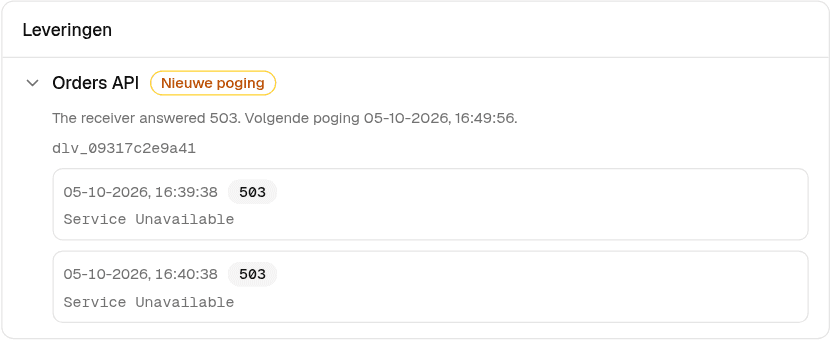
| Timeout, network error, 408, 429 or 5xx | Tried again after about 1 minute, 5 minutes, 30 minutes, 2 hours and 6 hours: 6 attempts over roughly 8 hours. |
| Any other 4xx | Failed right away. An Admin can send a failed Delivery again from the app or with the API. |
A Retry-After header (seconds or an HTTP date) is honoured, up to 24 hours.
Redirects are not followed. Your endpoint must use HTTPS.
Delivery is at-least-once. The same Delivery can arrive twice, for example when your receiver saved it but timed out before answering. Store delivery_id and skip one you have already handled.
Headers
You can add your own headers to an Integration, such as an API key or Basic auth. Mark a header as secret and its value is stored encrypted and only shown masked afterwards. Vink sets Content-Type and X-Vink-Signature itself.
Test-send
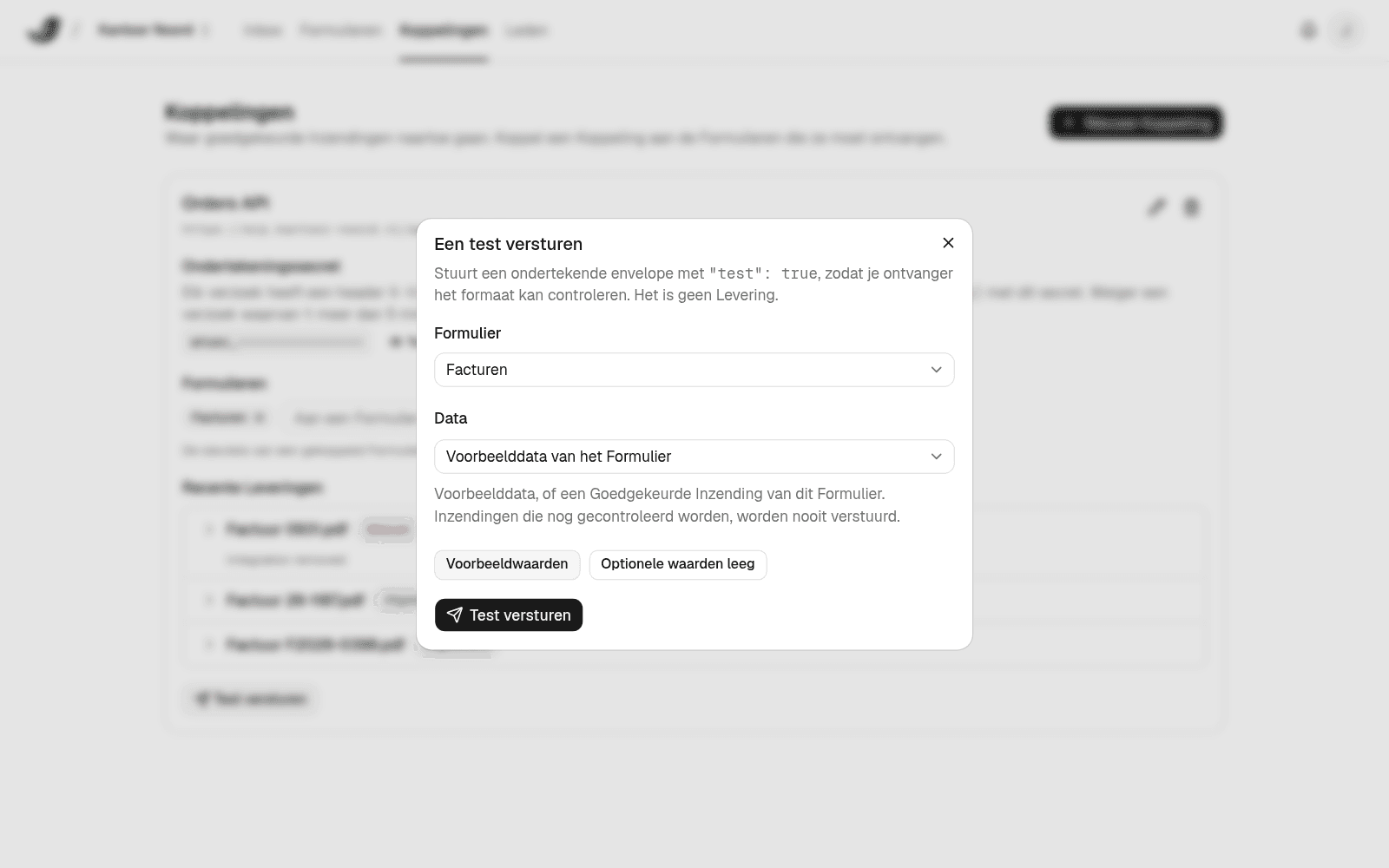
From an Integration, send a test to your endpoint before any real Submission goes out. Choose example values for every Field, or empty values so your receiver sees null and []. You can also send an approved Submission again as a test.
A test carries "test": true, is signed like a real one and is never a Delivery: it isn't retried and doesn't appear in a Submission's Delivery log. The answer from your endpoint is shown right away.
Integration service
No developer? We build the connection for you, for a fixed price from €799. Read more and request it on the integration service page.